
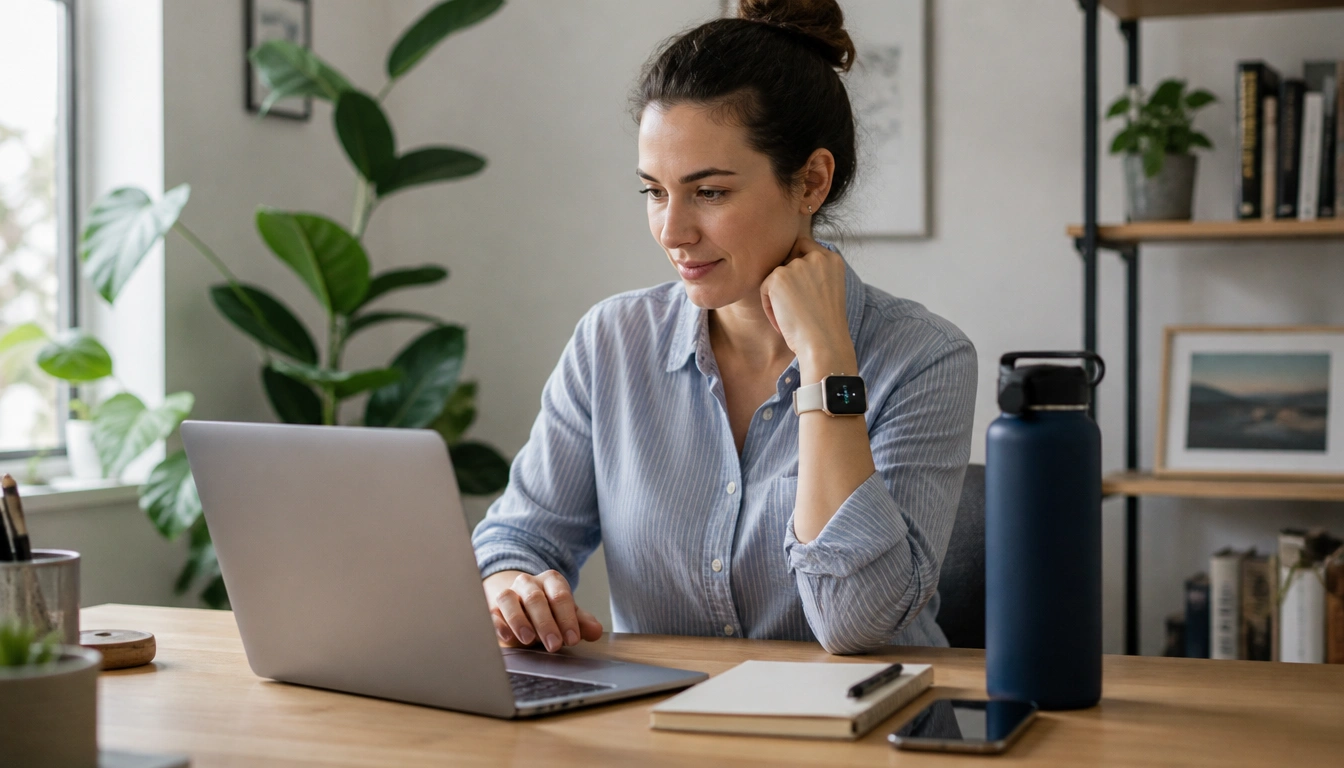
The most reliable way to remember to drink enough water while working from home is to build hydration into your day instead of waiting to feel thirsty. Use a visible bottle or glass at your desk, attach sips to repeated actions like sending emails or ending meetings, and add a few gentle reminders on your phone, watch, or computer. Then check your urine color and overall symptoms to see whether the system is working.
Key Takeaways
- Remote work removes the natural prompts that often make people drink, so you need a replacement system, not more willpower.
- A good setup uses three layers: the environment, habit anchors tied to work tasks, and tech reminders for deep-focus periods.
- Plain water is the easiest choice, but tea, coffee, milk, and sugar-free drinks all contribute to fluid intake.
- Urine that is pale straw or light yellow usually suggests better hydration than dark yellow or amber urine.
- Older adults, pregnant people, breastfeeding parents, and anyone exercising or working in heat may need to drink more and should not rely on thirst alone.
Why remote work makes hydration harder
Working from home changes the cues that normally help people drink water. In an office, you may walk to a meeting room, pass a kitchen, or notice a coworker refilling a glass. At home, long video calls, deep-focus work blocks, and fewer natural transitions can make hours pass without a drink.
That matters because even mild dehydration can affect how well you think, concentrate, and react. The point is not to treat water like medicine or panic over every missed sip. It is to give your day enough structure that hydration happens automatically instead of being left to chance.
The best approach for a hydration reminder system for people working from home is to combine three layers:
- Environment: make water visible and easy to reach.
- Habit anchors: attach drinking to actions you already do.
- Tech reminders: use gentle prompts for the times when focus is strongest.
That mix works better than relying on thirst alone, because thirst often shows up after you have already fallen behind. It also works better than one reminder, because a single alarm can be ignored or missed during busy periods.
Set up your desk so drinking happens automatically
The simplest hydration system starts with placement. Keep a reusable bottle or a glass where you can see it without searching for it. If it is out of sight, it is easy to forget. If it is within arm’s reach, drinking becomes a low-effort action instead of an interruption.
Choose a container that matches your habits. Some people do better with a clear glass because it is easy to notice when it is empty. Others prefer a bottle with a lid so they can sip during calls without worrying about spills. A larger container can reduce refills, while a smaller one may feel less intimidating if you dislike seeing a lot of water left at the end of the day.
Refilling strategy matters too. Try filling your bottle at the start of the workday, again after lunch, and whenever you leave the desk for a break. Keeping a spare bottle in the fridge or near your workspace can reduce friction. If you work in different spots at home, duplicate the setup in the places you use most often.
Small environmental changes help more than people expect. A bottle beside the keyboard, a glass next to the monitor, or a pitcher on the counter can do more than a vague goal to “drink more.” The easier the first sip is, the more likely the habit will stick.
Build hydration into the remote workday
Habit stacking is useful because it links drinking to actions that already happen. Instead of asking yourself whether you feel thirsty, you are creating a routine around moments that recur throughout the day.
Useful anchors for remote workers include waking up, starting work, sending an email, finishing a Zoom meeting, switching tasks, opening lunch, and wrapping up for the day. Each of these moments can cue a few sips. You do not need to drink a full glass every time. The goal is regular contact with water, not a perfect schedule.
Here is a practical pattern many people can adapt:
- Drink one glass after waking up.
- Take a few sips when you sit down to start work.
- Drink after each meeting ends.
- Take a drink when you switch from one major task to another.
- Use lunch as a reset point and refill your bottle.
- Do a brief check-in before ending the workday.
This works well for busy parents and knowledge workers because it does not depend on a calendar that is already crowded. It also makes hydration part of the rhythm of work rather than a separate task you have to remember later.
If you tend to ignore subtle cues, choose anchors that are hard to miss. For example, every time you press send on an email thread, stand up and take a drink. Every time a virtual meeting ends, take three to four sips before opening the next tab. The trigger should be simple enough to repeat all day without thinking too hard.
Choose reminders that fit your attention style
Not all reminders work the same way. A phone alarm can be useful if you are away from the desk, but it may be easy to swipe away. A smartwatch buzz is discreet and can interrupt less, which helps if you are in meetings or deep work. Computer prompts are helpful if most of your day happens on a screen, because the reminder appears in the same place where the habit needs to happen.
The most effective setup often uses more than one reminder type, but not too many. Too many alerts can create reminder fatigue, where you start ignoring all of them. That is especially common for remote workers who already receive a steady stream of messages and notifications.
A practical rule is to choose one primary reminder and one backup. For example, your computer can prompt you every 45 to 60 minutes to stand, stretch, and drink, while your watch gives a softer buzz near lunch or late afternoon. If you use phone alarms, label them clearly so they feel like prompts rather than interruptions.
Keep the alert tone gentle. The goal is to support attention, not break it. A reminder that is too loud or too frequent is more likely to be turned off. A reminder that is brief, predictable, and easy to act on is more likely to become part of the routine.
| Reminder type | Best for | Possible drawback |
|---|---|---|
| Phone alarm | People who move around or step away from the desk | Easy to dismiss and forget |
| Smartwatch buzz | Quiet prompts during meetings or deep focus | Can be ignored if it happens too often |
| Computer prompt | Desk-based work and screen-heavy days | May be missed during full-screen tasks |
| Environmental cue | People who respond well to visual reminders | Less effective if the bottle is hidden |
Know what counts toward fluid intake
Plain water is the simplest choice, but it is not the only fluid that counts. Tea, coffee, lower-fat milk, and sugar-free drinks contribute to your fluid intake. Fluid from food also matters, especially if you eat fruits, vegetables, soup, or other moisture-rich foods during the day.
That said, plain water is still the easiest default because it does not add sugar or calories. If you rely on tea or coffee, remember that caffeine does not cancel out fluid intake, but high caffeine use should not become your only hydration plan. Rotating in water gives you a more reliable baseline.
There is no single perfect amount that fits every person, every day. Public health guidance commonly suggests that adults aim for several cups or glasses of fluid daily, and broader reference values from European authorities are higher when total water from all sources is considered. The practical takeaway is to drink steadily throughout the day instead of trying to catch up all at once.
If plain water feels boring, you can make it easier to drink without adding much complexity. Lemon, cucumber, mint, or unsweetened herbal tea can make the routine more pleasant. The best choice is the one you will actually repeat.
Check whether your system is working
The simplest self-check is urine color. Pale straw or light yellow usually suggests you are doing reasonably well, while dark yellow or amber can mean you need more fluid. This is not a diagnosis tool, but it is a useful everyday signal for healthy adults working at home.
Thirst is another clue, but it should not be the only one. If you only drink after you feel thirsty, you may already be behind. Headaches, fatigue, dry mouth, and a drop in focus can also be signs that you need to drink more. If you notice your energy fading in the afternoon, hydration may be one part of the picture.
Some days call for extra fluid. Hot weather, a warm room without air conditioning, exercise during lunch, pregnancy, and breastfeeding can all increase needs. Older adults may need special attention too, because thirst can become less reliable with age. In those situations, reminders matter even more than usual.
If you want a practical check-in, ask yourself three questions near midafternoon: Have I had regular sips today? Is my urine pale rather than dark? Do I feel clear-headed, or am I getting dry mouth, headache, or fatigue? If the answers point in the wrong direction, add fluids earlier rather than waiting until evening.
Know when to slow down or get medical advice
Most people working from home do not need to worry about drinking too much water. Still, overhydration is possible, especially if someone forces large amounts of water in a short time. Rare but serious water overload can lower blood sodium and cause confusion, severe illness, or emergencies.
Warning signs that call for caution include confusion, vomiting, severe headache, swelling, unusual drowsiness, or feeling unwell after drinking excessive amounts very quickly. On the other side, dehydration red flags include fainting, rapid heartbeat, inability to urinate, or symptoms that come with persistent vomiting or diarrhea.
Some people also need personalized fluid limits. This can include people with heart failure, advanced kidney disease, or another condition where a clinician has told them to follow a specific fluid plan. If that applies to you, your medical guidance should take priority over general hydration advice.
If you are unsure whether symptoms are due to dehydration, illness, medication, or a fluid balance problem, it is safer to ask a healthcare professional. A home hydration routine should support health, not replace medical judgment.
Make the habit easier to keep
The best hydration reminder system for people working from home is the one that feels almost boring. It should be easy to start, easy to repeat, and easy to adjust on busy days.
If you keep forgetting, make the system smaller before making it more ambitious. Put a bottle where you can see it. Tie drinking to actions you already do. Add one or two reminders only where you are most likely to get stuck. Then test whether the routine still works during deep work, meetings, or childcare interruptions.
Flavor can help if plain water feels uninspiring. A bottle that is already filled, chilled, or lightly flavored is easier to use than an empty one sitting across the room. Some people also find it helpful to prep water the night before so the first glass is ready when the workday starts.
If you want a stable habit, think in terms of friction. Reduce the effort needed to take the first sip and increase the visibility of the next one. Over time, those small adjustments do more than occasional bursts of motivation.
Frequently Asked Questions
What is the best reminder schedule for remote workers who get absorbed in deep work?
A good starting point is a light reminder every 45 to 60 minutes, plus habit anchors around meetings, task changes, and lunch. The exact timing matters less than making the cue predictable and easy to act on. If alerts feel disruptive, use softer prompts and rely more on environmental cues.
What are simple habit-stacking tricks to drink more water during the workday?
Link drinking to repeated events you already notice: waking up, opening email, finishing a call, switching tasks, or starting lunch. Keep a bottle in sight and take a few sips each time the anchor happens. The habit should be small enough to repeat without breaking your focus.
How do I know whether I’m drinking enough water at home?
Look at urine color, thirst, and how you feel. Pale straw or light yellow urine is usually a reassuring sign, while dark yellow can mean you need more fluid. Dry mouth, headaches, fatigue, and reduced focus can also suggest you are behind on fluids.
What kind of hydration reminders work better: phone alerts, smartwatch alerts, or environmental cues?
Each has strengths. Environmental cues are best for making drinking feel automatic, smartwatch alerts are useful for discreet nudges, and phone or computer prompts help when you are at the desk. Many people do best with one primary cue and one backup, rather than several alarms at once.
When should a remote worker be cautious about drinking too much water or follow a clinician’s fluid limits?
Be cautious if you have heart failure, advanced kidney disease, or another condition with a prescribed fluid limit. Seek help if you have confusion, severe headache, vomiting, fainting, rapid heartbeat, or symptoms after drinking large amounts very quickly. Those signs need medical attention.
The Bottom Line
Remote work makes hydration harder because it removes the natural cues that normally prompt people to drink. The easiest fix is not more willpower; it is a simple system built from visibility, habit stacking, and gentle reminders.
Use a bottle you can see, tie drinking to routine work moments, and add only enough technology to catch the times when focus makes you forget. Then check urine color, thirst, and how you feel to see whether the routine is working.
If you have a medical condition that changes your fluid needs, or if you develop warning signs of dehydration or overhydration, get individualized advice instead of trying to solve it with a generic plan.
Medical disclaimer
Medical disclaimer: This content is for educational and informational purposes only and is not a substitute for professional medical advice, diagnosis, or treatment. Dietary needs and supplement suitability vary by individual.
Sources
- Centers for Disease Control and Prevention (CDC) — cdc.gov. Accessed October 2026.
- National Health Service (NHS) — sath.nhs.uk. Accessed October 2026.
- National Institutes of Health (NIH) — nih.gov. Accessed October 2026.
- National Health Service (NHS) — www.nhs.uk. Accessed October 2026.
