
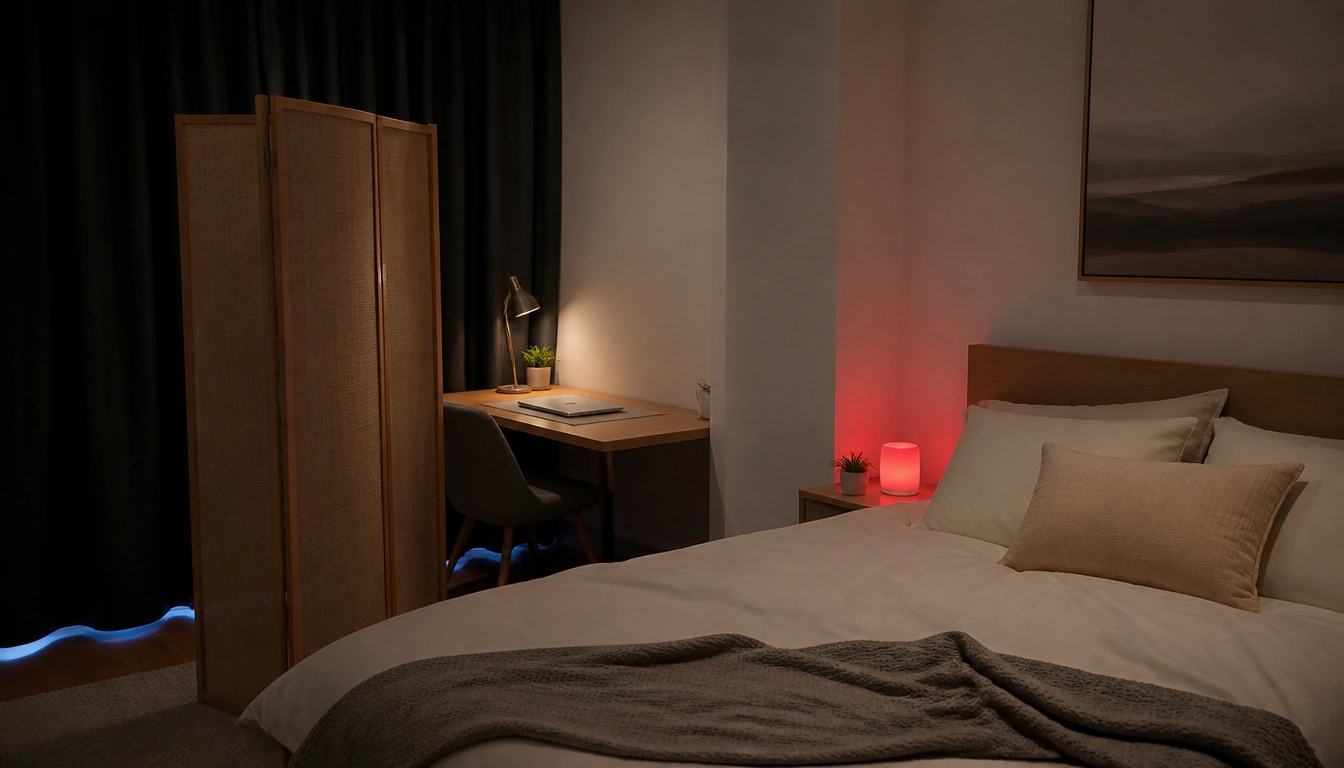
To sleep better while working from home, make your bedroom act like a sleep-only space: keep work out of bed, hide office cues, reduce noise, block light leaks, and keep the room cool and comfortable. If your desk must stay in the room, separate it visually and shut down electronics at night. If sleep problems persist despite these changes, get checked for a medical sleep issue.
Key Takeaways
- Treat the bedroom as a sleep cue, not a work cue, so your brain stops associating it with alertness and deadlines.
- If your desk is in the bedroom, use a physical divider and cover or power down work gear at the end of the day.
- Start with the biggest noise sources, then layer low-cost fixes like curtains, rugs, a fan, white noise, and earplugs.
- Make the room dark beyond just screen avoidance by removing LED glows, sealing light leaks, and using dim red path lighting.
- Keep the room cool and comfortable with breathable bedding, and check whether your mattress or pillow is undermining recovery.
- If you have chronic insomnia, loud snoring, gasping, or severe daytime fatigue, environmental fixes may not be enough.
Bedroom-work boundary reset
A quiet bedroom checklist for people working from home starts with one rule: the bed is for sleep, not work. Sleep medicine uses the idea of stimulus control, which means your brain learns what a place is for based on repeated use. If you answer emails, join calls, or scroll work messages in bed, the room starts to signal stress and problem-solving instead of rest.
That pattern can be especially sticky for remote workers, because the same room may hold your laptop, your laundry, and your pillow. The goal is not perfection; it is to make the bedroom feel boring in a work sense and predictable in a sleep sense. Keep work off the mattress, avoid bedtime “just one more task” sessions, and reserve the bed for sleep and intimacy only. The CDC and NHS both emphasize consistent sleep habits and a sleep-supportive environment as part of better sleep hygiene.
If you catch yourself using the bedroom as a daytime command center, change the cue before you change anything else. Close the laptop, leave the room, and make a clear shift between work mode and rest mode.
Work-zone separation when the desk is in the bedroom
Small apartments do not always allow a spare office, so the setup has to work harder. If the desk stays in the bedroom, create a visible boundary so the sleep area does not merge with the work area. A folding screen, curtain, tall bookshelf, or even a narrow room divider can help the brain “read” the space as two zones.
At the end of the workday, use a short shutdown routine. Close tabs, save files, put chargers away, and cover the monitor or laptop if it remains in the room. Hide notebooks, headphones, printer paper, and visible sticky notes. When possible, use a lidded bin, drawer, or closed closet so work materials are not in your line of sight from the bed.
The point is to remove the visual reminders that keep your mind in task mode. A bedroom that still looks like an office is harder to relax in, even if the desk is technically “off.”
Noise control checklist
For sleep, the biggest problem is often not constant sound but unpredictable sound. A passing car, a roommate closing a door, or a washer starting mid-night can trigger a brief arousal and break sleep before you fully wake up. Start by identifying the loudest and most irregular sources, then layer solutions rather than trying to fix everything at once.
Low-cost sound control often works best in combination. Heavy curtains can soften outside noise and also help with light. Rugs, carpet runners, and upholstered furniture absorb sound better than hard surfaces. A fan or white-noise machine can mask intermittent sounds so they are less likely to interrupt sleep. Earplugs can add another layer, especially if you share walls or live near traffic.
If you need a quiet bedroom but cannot make structural changes, think in terms of damping, masking, and blocking. Damping means reducing echo inside the room; masking means covering unpredictable noise with a steady sound; blocking means using the room’s soft materials and seals to keep sound out as much as possible.
Light-proofing checklist
Darkness matters more than many people realize. The sleep environment should be close to dark enough that your brain does not keep getting daytime signals. That includes more than just avoiding a glowing phone screen. Small LED indicators, bright digital clocks, chargers, and router lights can all add up, especially in a dark room.
Start with the obvious leaks: window edges, gaps in blinds, and light from hallways or hall bathrooms. Blackout shades or lined curtains can make a major difference, and cheap add-ons like curtain clips or draft stoppers can help seal the edges. If early morning light wakes you too soon, block it before it reaches your pillow.
At night, use dim red path lighting instead of bright overhead bulbs when you need to get up. Red or very low light is less likely to jar your system awake than white or blue-toned light. Remove, cover, or face away any small LEDs that shine directly toward the bed. The target is not total darkness at all costs, but a room that stays visually calm from bedtime until morning.
Cool-sleep setup and bed comfort audit
Most adults sleep best in a cool room, and sleep guidance commonly points to a bedroom temperature in the range of about 60°F to 67°F, or 15°C to 19°C. The reason is simple: your core body temperature needs to fall to help sleep begin and stay stable. A cooler room supports that drop, while a hot room can make you restless and more likely to wake.
If you share a thermostat or cannot keep the whole home cool, focus on the sleep zone. Use breathable bedding, lighter layers, and moisture-wicking sheets if you run warm. If you get cold, add a blanket you can easily remove rather than overheating the room. A small fan may help with both air movement and noise masking.
Comfort is not just temperature. Check whether your mattress sags, squeaks, or creates pressure points. Make sure your pillow supports your neck in a neutral position. If you wake with stiffness, numbness, or repeated tossing, the issue may be physical as much as environmental. A bedroom can be quiet, dark, and cool and still fail to support sleep if the bed itself is worn out or mismatched to your body.
Wind-down routine for remote workers
A 30- to 60-minute wind-down routine helps the brain exit work mode before bedtime. The first step is a screen cutoff. That means stepping away from work devices, and ideally from stimulating personal screens too, long enough for your mind to settle. The exact timing can vary, but a consistent buffer is more useful than an occasional perfect night.
Replace screens with something low-stimulation and familiar: reading paper pages, light stretching, calm music, a shower, or preparing clothes and supplies for the next day. Keep the sequence simple. You are not trying to optimize every minute; you are trying to create a repeatable transition that tells your nervous system the workday is over.
A short closing ritual can help if work thoughts tend to spill into bed. Shut the laptop, put work tools out of sight, dim the room, and do one small non-work task that marks the end of the day. Repetition matters more than variety here. The same few steps, done consistently, become a cue for sleep.
Brain dump and 20-minute reset
If your mind races at bedtime, use a bedside brain dump. Keep a notepad nearby and write down unfinished tasks, reminders, or worries before lights out. The goal is not to solve the work problem in bed; it is to tell your brain that the task is safely parked until morning. Many remote workers find this helps when the main barrier is mental replay rather than physical discomfort.
If you are still awake after about 20 minutes, do not keep trying harder in the dark. Get out of bed and do something quiet in a dimly lit space until you feel sleepy again. Read a few pages, sit calmly, or listen to something soothing. Return to bed when drowsiness comes back. This approach is consistent with standard behavioral sleep guidance because it reduces the chance that your bed becomes linked with frustration and wakefulness.
Avoid turning the 20-minute reset into an active work session. No email checking, no scheduling, and no “I might as well get ahead” detours. The reset should be boring enough that sleep becomes the more attractive option.
When a better bedroom is not enough
Environmental changes can make a real difference, but they do not explain every sleep problem. If you still have chronic insomnia after several weeks of better sleep habits and a more sleep-friendly bedroom, it may be time to look beyond the room itself. The same is true if you snore loudly, gasp for air at night, or wake up unrefreshed with strong daytime fatigue.
Those symptoms can point to sleep disorders such as obstructive sleep apnea or other conditions that need medical evaluation. The CDC and NHS both advise seeking professional help when sleep trouble is persistent or affecting daytime function. A clinician can help determine whether the issue is environmental, behavioral, or medical, and whether you need individualized treatment rather than more home fixes.
It is also worth getting help sooner if sleep loss is affecting safety, concentration, mood, or blood pressure, or if you rely on alcohol or sedatives to get through the night. A better bedroom helps, but it should not be the only tool if the real problem is deeper.
Frequently Asked Questions
How do I stop my bedroom from feeling like an office if my desk is in the same room?
Use a physical divider if you can, and make the sleep area visually separate from the work area. At the end of the day, cover or shut down the computer, hide paperwork, and remove anything that makes the room look “on duty.” The less your bed can see of work, the easier it is to relax.
What’s the best way to block noise from roommates, traffic, or home appliances at night?
Start with the loudest or most irregular noises, then layer solutions. Thick curtains, rugs, and upholstered items reduce echo; a fan or white-noise machine can mask intermittent sounds; earplugs help when noise still breaks through. Combining several modest fixes usually works better than relying on one expensive solution.
How dark should a bedroom be for sleep, and what lights should I remove or cover?
Aim for as close to dark as you can reasonably make it. Cover or remove glowing LED indicators, bright digital clocks, chargers, and any device lights that shine toward the bed. Use blackout curtains or shades for windows, and choose dim red night lighting if you need a path in the dark.
What temperature should a bedroom be for better sleep, and how can I keep it cool affordably?
Sleep guidance commonly points to a cool bedroom, roughly 60°F to 67°F (15°C to 19°C), though comfort varies. If cooling the whole room is hard, use breathable bedding, lighter layers, and a fan for air movement. If you get cold, add a removable blanket instead of warming the room too much.
What should I do if I’m lying awake because I’m thinking about work tasks, and when should I get medical help instead of just changing my sleep environment?
Try a quick brain dump on paper before bed so tasks feel captured, not unfinished. If you are still awake after about 20 minutes, get out of bed and do something quiet in dim light until sleepy again. Get medical help if insomnia is chronic, or if you also have loud snoring, gasping, or severe daytime fatigue.
The Bottom Line
A better sleep setup for remote work is mostly about boundaries: keep work out of bed, hide office cues, and make the bedroom feel visually and mentally separate from the workday. Then add the basics that protect sleep quality: reduce noise, block light, and keep the room cool.
If your desk has to stay in the bedroom, use a divider and an end-of-day shutdown routine so the room stops signaling “on.” A brain dump, a short wind-down, and a 20-minute reset can help when work thoughts keep you awake.
If the room changes help only a little, or you still have chronic insomnia, snoring, gasping, or major daytime fatigue, get evaluated. The problem may be medical, not just environmental.
Medical disclaimer
Medical disclaimer: This content is for educational and informational purposes only and is not a substitute for professional medical advice, diagnosis, or treatment. Dietary needs and supplement suitability vary by individual.
Sources
- Centers for Disease Control and Prevention (CDC) — cdc.gov. Accessed October 2026.
- National Health Service (NHS) — scot.nhs.uk. Accessed October 2026.
- National Health Service (NHS) — www.nhs.uk. Accessed October 2026.
- National Health Service (NHS) — royalpapworth.nhs.uk. Accessed October 2026.
- Academic Research Institution — harvard.edu. Accessed October 2026.
