
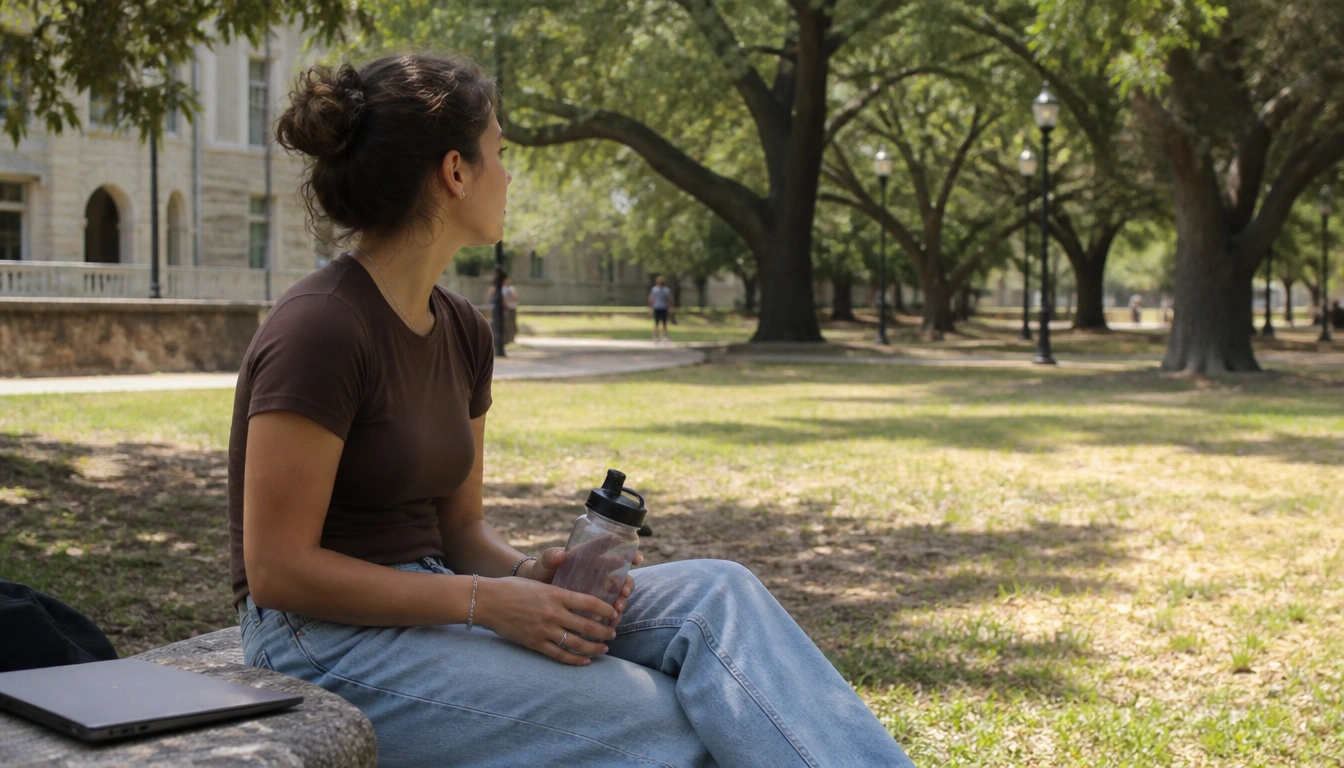
The best screen-break ideas for mental clarity are short, low-friction pauses that move you away from passive scrolling and give your brain and eyes a real reset. For most students, that means brief walks, water breaks, looking far away, stepping outdoors, and switching to offline tasks for a few minutes during long study sessions. The goal is not to avoid screens entirely; it is to use breaks that restore focus without derailing your academic workflow.
Key Takeaways
- Short, intentional screen breaks can help reduce attention fatigue, eye strain, and stress spillover during long study sessions.
- Passive scrolling is usually more draining than purposeful academic screen use, so the best breaks interrupt scrolling patterns, not just screen time.
- Campus-friendly resets such as walking, hydration, stretching, and a few minutes outdoors are often enough to feel mentally clearer.
- The 20-20-20 rule and 30-to-50 minute study blocks are practical ways to build recovery into a packed schedule.
- Students with ADHD or screen-dependent accommodations may need customized breaks that protect focus without disrupting assistive tools.
- If brain fog, sleep problems, or low mood persist despite better habits, it may be time to talk with a healthcare or counseling professional.
Why screen breaks matter for mental clarity in college students
For college students, screen-break ideas for mental clarity work because your day is often built around continuous digital attention: lectures, notes, readings, chats, forms, and research. That constant switching keeps your brain “on” even when the task seems simple. According to the National Institutes of Health, extended screen use can contribute to eye strain and tiredness, and mental fatigue often builds when attention has to stay narrow for too long.
A useful screen break is not just time away from a laptop. It is a brief shift in mental mode. If you step away from the screen, move your body, and stop consuming new digital input for a few minutes, your attention can recover enough to feel clearer when you return. That is especially helpful during long study sessions, when the difference between “still working” and “actually absorbing information” can get blurry.
College life also adds a stress layer. Research from academic and public health sources suggests heavy screen habits are associated with more reported stress and mood strain in young adults. That does not mean screens are the problem by themselves. It does mean that repeated mental loading without pause can make you feel foggy, irritable, or stuck faster than you expect.
The main causes of screen fatigue: attention depletion, eye strain, and stress spillover
Screen fatigue usually comes from a mix of three things. First is attention depletion. Academic reading and problem-solving require directed attention, which is easier to exhaust when notifications, tabs, and apps keep asking for a small piece of your focus. Even good multitaskers feel the cost of constant switching.
Second is eye strain. Looking at a screen up close often reduces blinking, which can leave your eyes dry, tired, or tense. That physical discomfort can quietly lower concentration. Some students describe it as mental fog, but part of the problem is visual fatigue feeding back into cognition.
Third is stress spillover. Passive scrolling, especially after a demanding day, can keep your brain in a reactive mode instead of a recovery mode. Purposeful academic screen use is different from endless feed checking. Research-informed guidance from university health sources supports building recovery into the day rather than waiting until you feel wiped out.
The most helpful screen breaks address all three causes at once: they rest your eyes, interrupt attention fatigue, and lower the odds that a break becomes another round of digital stimulation.
Best screen-break ideas for campus life: walking, hydration, stretching, nature exposure, and tactile offline activities
The best screen breaks for campus life are simple enough to do between classes or during a library session. A short walk is often the easiest option. Walking across campus gives your eyes distance, gets blood moving, and breaks the mental loop of sitting in one position. If you can, let the walk be device-free instead of using it as another chance to scroll.
Hydration breaks are underrated. Standing up, drinking water, and taking a few slow breaths can give your brain a noticeable reset, especially if you have been reading or typing for a long stretch. Adding a neck roll, shoulder reset, or brief stretch can help if you feel physically compressed from sitting.
Brief outdoor exposure can help too. University-based and nature-focused research suggests that even small doses of “green time” may buffer stress and support mood recovery. You do not need a hike. A bench near trees, a few minutes on a quad, or a short outdoor route between buildings can be enough to change how a study block feels.
Offline tactile activities also help because they engage your hands and attention differently. Try underlining on paper, flipping through printed pages, organizing flashcards, sketching a concept map, or even packing your bag for the next class. These tasks are low friction and can give your mind a cleaner transition than opening another app.
How to build a realistic study rhythm: micro-breaks, 30-to-50 minute focus blocks, and phone distance rules
A realistic routine matters more than a perfect one. For many students, a 30-to-50 minute focus block followed by a 5-to-10 minute screen break is easier to sustain than trying to study for hours without stopping. This rhythm gives you a clear work phase and a clear recovery phase, which can reduce the urge to “accidentally” drift into social media.
The 20-20-20 rule is another practical anchor. Every 20 minutes, look at something about 20 feet away for about 20 seconds. It is a small reset for your eyes and attention. It will not fix all fatigue, but it is a low-effort habit that can fit into almost any study session.
Phone distance rules help more than people expect. Put your phone in a backpack, on the other side of the room, or in another pocket during focus blocks. If it is within reach, your brain keeps tracking the possibility of a check. That background temptation is often more draining than the task itself.
If you study with music, timers, or digital notes, keep the tools that support work and remove the tools that invite drifting. The goal is not harsh restriction. It is to make the next right action easier than the next random swipe.
When to use screen breaks differently for academic work versus social media scrolling
Not all screen time behaves the same way. Academic screen use is usually directed, goal-based, and more structured. Social media scrolling is often passive, algorithm-driven, and open-ended. That difference matters because a break from academic work should restore you, while a break from scrolling should interrupt the loop.
If you are deep in academic work, a screen break can be non-digital: walk, stretch, refill water, look outside, or switch to paper notes. If you have been passively scrolling, the best break may need to be more decisive. Close the app, stand up, and change location. A “few more minutes” often becomes another ten minutes of low-value attention drain.
One useful rule is to match the break to the problem. If your eyes feel tired, prioritize distance and visual rest. If your mind feels overloaded, prioritize movement or nature. If your mood feels flat after scrolling, choose something tactile or social in the real world. Research and expert guidance both point toward structured interruption rather than hoping willpower will undo the effect of endless feeds.
How to adapt screen breaks if you have ADHD, accommodations, or heavy digital course demands
Students with ADHD, learning differences, or accommodations often need screen breaks that support focus without breaking the workflow that helps them succeed. That may mean shorter breaks, more predictable transitions, or keeping assistive tools on screen while moving the rest of the environment offline. The most important part is to protect function, not force a one-size-fits-all routine.
If a digital planner, reader, or speech tool helps you stay on task, do not treat the screen itself as the enemy. Instead, build breaks around the parts of the workflow that are least useful. For example, you might keep your notes open but use a separate timer, or switch from a laptop to printed review sheets for part of the block.
Students who hyperfocus may also benefit from external cues. A vibration timer, a visible sticky note, or a study partner can make breaks more predictable. If transitions are hard, use the same break pattern every time so your brain does not have to decide from scratch. Small changes work best when they are consistent.
If you have formal accommodations, your screen-break plan should fit them. The point is not to reduce needed access. It is to lower fatigue where possible so your academic tools keep helping instead of wearing you down.
Evening reset: the tech curfew and how it supports next-day focus
A tech curfew can make the next day easier. Many sleep experts recommend creating a device-free window before bed, often about 30 to 60 minutes, so your brain has time to shift out of alert mode. Evening scrolling is especially sticky because it mixes light exposure with emotional stimulation, social comparison, and unfinished tasks.
If you want a curfew that you can actually keep, make it specific. Set a cutoff time for social apps, then move to a low-stimulation routine: charge your phone away from the bed, use paper reading if you want to unwind, prep clothes or a bag for tomorrow, or do a short stretch routine. This helps replace the “one more check” habit with a repeatable signal that the day is ending.
For students who rely on their phones for alarms, keep the phone across the room or use a separate alarm device if available. You are less likely to drift back into scrolling if the phone is not the first thing your hand reaches for in bed.
The goal of a tech curfew is not perfect sleep hygiene. It is to reduce the mental residue that makes the next morning feel heavy, foggy, and harder to start.
Signs screen fatigue may be more than ordinary tiredness and when to seek help
Most screen fatigue improves with breaks, better pacing, and a few habit changes. But if mental fog, irritability, low mood, or sleep disruption keeps showing up even when you cut back on screens, it may be more than ordinary tiredness. The same is true if headaches, eye discomfort, anxiety, or concentration problems start interfering with classes, relationships, or daily functioning.
Pay attention to patterns. If you feel noticeably better after rest but quickly slide back into exhaustion as soon as screen demands return, your routine may need more structure. If you do not bounce back at all, or if the fatigue feels emotionally heavy rather than just physically tiring, campus health services or a licensed professional can help sort out what is going on.
Screen breaks are a useful self-management tool, not a substitute for care. If symptoms are persistent, severe, or getting worse, reaching out sooner is better than waiting until the semester becomes unmanageable.
Frequently Asked Questions
How often should college students take screen breaks while studying?
A practical starting point is a short break every 30 to 50 minutes, plus tiny eye resets like the 20-20-20 rule during the block. If you feel strain sooner, break earlier. The best schedule is the one you can repeat consistently without losing momentum.
What are the best 5-minute screen-break activities for mental clarity on campus?
Walk a hallway or part of campus, refill water, look at something far away, stretch your shoulders, step outside for fresh air, or switch to a paper task like flashcards. The most helpful 5-minute breaks change your posture, your visual distance, and your mental input.
Does the 20-20-20 rule really help with screen fatigue and eye strain?
It can help as a simple eye reset. Looking far away briefly gives your focusing system a break and can reduce discomfort for many people. It is not a cure-all, but it is an easy habit that fits into study sessions without interrupting them much.
How can I take screen breaks if I need my laptop for class or accommodations?
Keep the tools you need for access, then build breaks around them. You might use a timer, switch to printed materials briefly, or stand up while keeping essential software open. The goal is to reduce fatigue without taking away support that helps you learn.
What should I do at night to reduce screen-related brain fog and sleep disruption?
Create a device-free window before bed if you can, ideally 30 to 60 minutes. Put the phone away from the bed, stop social apps first, and switch to a low-stimulation routine such as reading on paper, stretching, or prepping for tomorrow. That helps your brain downshift before sleep.
The Bottom Line
The most useful screen breaks are short, repeatable, and easy to do on a college schedule. Walking, water, stretching, looking far away, and brief time outdoors can all help clear mental fog without derailing your work.
If you study on screens all day, focus on the difference between productive academic use and passive scrolling. Build in small breaks during study blocks, protect your evenings with a simple tech curfew, and customize the plan if you have ADHD or use accommodations.
If fatigue keeps building despite better habits, or if sleep, mood, or concentration are still getting worse, that is a sign to reach out for campus or clinical support rather than trying to push through it alone.
Medical disclaimer
Medical disclaimer: This content is for educational and informational purposes only and is not a substitute for professional medical advice, diagnosis, or treatment. Dietary needs and supplement suitability vary by individual.
Sources
- National Institutes of Health (NIH) — nih.gov. Accessed October 2026.
- Academic Research Institution — cmich.edu. Accessed October 2026.
- Academic Research Institution — illinois.edu. Accessed October 2026.
- research.childrenandnature.org — childrenandnature.org. Accessed October 2026.
