
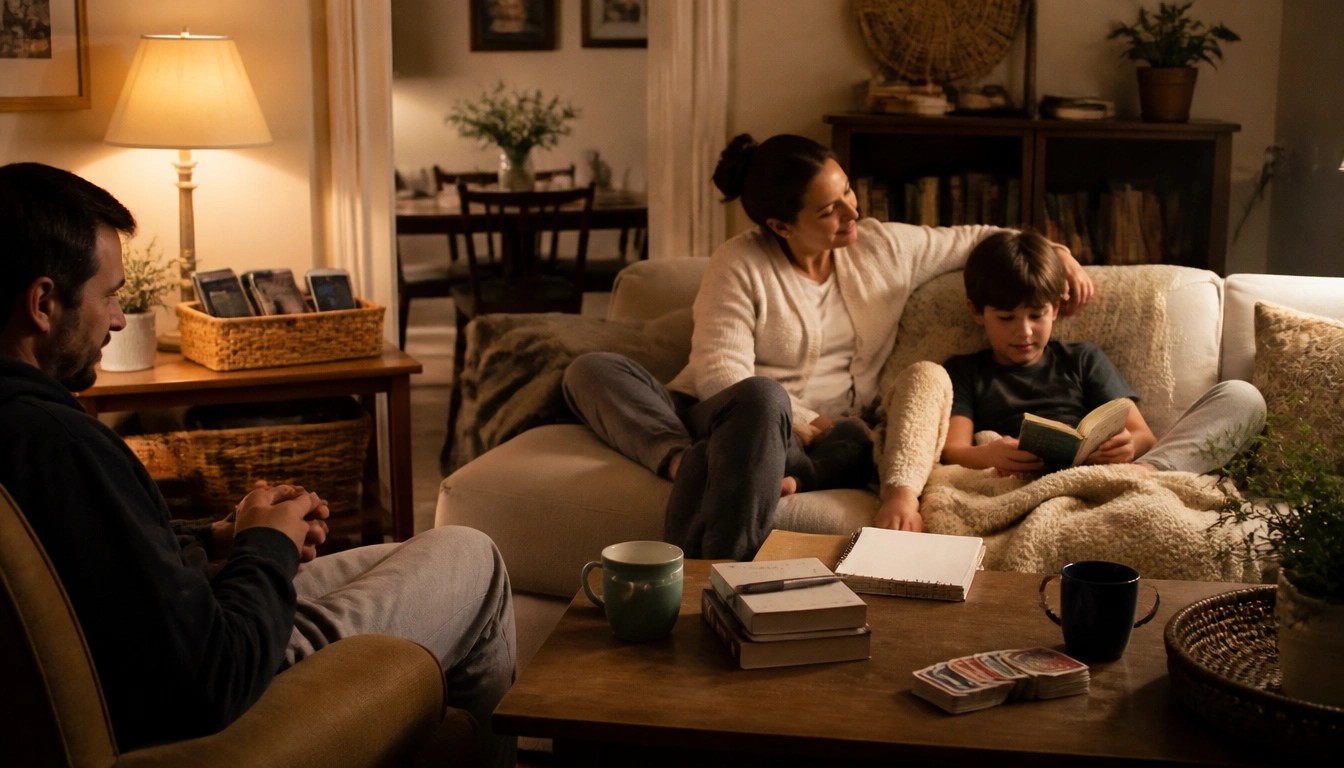
A screen-free evening routine can be simple, low-cost, and effective if you treat it as a short wind-down buffer before bed rather than a perfect overhaul. Turning off screens 30 to 60 minutes before sleep can reduce light and mental stimulation, and it may also lower electricity use and impulse spending. The easiest version is a set time for devices to go off, a cheap analog replacement, dim lighting, and a charging spot outside bedrooms.
Key Takeaways
- A screen-free evening routine helps sleep in two ways: it reduces light and stimulation, and it can also reduce household energy use and late-night spending.
- You do not need sleep gadgets or a special wellness setup; books, journaling, stretching, card games, and dim lamps can do the job.
- Children, teens, and many older adults may need stricter bedroom rules because evening screen exposure can affect them more strongly.
- Shift workers, caregivers, and households that need phones for safety can still use a modified routine with charging stations and check-in times.
- A 30- to 60-minute screen-free buffer supports sleep hygiene, but ongoing insomnia, loud snoring, or daytime sleepiness still deserves medical evaluation.
Why evening screens disrupt sleep and keep households spending more
A screen-free evening routine works because it addresses two separate problems at once. First, screens can make sleep harder. Light from phones, tablets, computers, and televisions can delay the body’s natural melatonin signal, and the content itself can keep the brain alert. Scrolling, streaming, work messages, and even “just one more” episode can leave you more mentally switched on than you planned.
Second, turning devices off earlier can help a household spend less without trying to become more frugal in a strict or punishing way. TVs, consoles, chargers, and other electronics can draw electricity through the evening, and late-night browsing often leads to impulse buys, subscription add-ons, or a few more rounds of paid entertainment. According to the CDC, sleep health matters for overall well-being, and a low-cost evening routine is one practical way to support it.
The most useful mindset is not “never use screens at night.” It is “build a short bridge between the busy part of the day and sleep.” That bridge can be simple and repeatable. For many budget-conscious households, the win is that one routine supports better rest and fewer avoidable expenses at the same time.
A realistic 30- to 60-minute digital sunset plan: step-by-step
A screen-free evening routine does not have to start with a strict household rule that everyone follows perfectly on day one. A better approach is to pick a realistic buffer and make it easy to repeat. Sleep organizations commonly recommend a 30- to 60-minute screen-free period before bed as part of sleep hygiene, and that buffer is often enough to notice a difference when you actually stick to it.
Start with a consistent off-time. Choose a point that fits your household rhythm, such as 60 minutes before lights out, and use that as the cutoff for TV, streaming, games, and casual phone use. If 60 minutes feels unrealistic, start with 30 and build from there.
Then use the last part of the evening in the same order most nights:
- Put work tasks and social scrolling away first.
- Handle essential messages or reminders.
- Turn on dim, warm lighting.
- Move to a low-stimulation activity.
- Use the final minutes for a predictable bedtime cue such as washing up, changing clothes, or a few quiet breaths.
The routine works best when it removes decision fatigue. You are not trying to create the “best” evening. You are creating a repeatable one.
Low-cost replacements for TV, scrolling, and bedtime entertainment
The easiest way to keep a screen-free habit going is to make the replacement feel pleasant, not restrictive. If the only alternative is “sit in silence and be bored,” the routine will not last. The goal is to choose activities that are low-cost, low-effort, and easier to stop than digital entertainment.
Physical books are one of the most affordable swaps because libraries, used books, and shared home books are often enough. Journaling is another strong option. A plain notebook can hold tomorrow’s to-do list, a quick brain dump, or a short gratitude note. That can help prevent bed-time rumination without buying a guided journal or app subscription.
Gentle stretching, mobility work, or slow breathing can be done on the floor or beside the bed with no equipment. Families can use card games, simple board games, storytelling, or conversation as a way to reconnect without the cost or stimulation of more screen time. If you want a restful atmosphere, dim lighting does more than expensive sleep products for most people. Warm, lower light helps the room feel less like daytime.
For budget-conscious households, the best replacements are often the ones already available: library books, a notebook, a deck of cards, and a lamp you already own.
How to set up charging, lighting, and bedroom boundaries without buying much
You do not need a whole home makeover to support a screen-free evening routine. A few small changes can make the habit much easier. The first is a shared charging spot. A basket, tray, or table in a common area can become the family phone dock so devices are out of bedrooms overnight. This is often more effective than asking everyone to “just have self-control” with the phone beside the pillow.
If you share a home with other people, create a simple boundary around bedrooms. Bedrooms work best as sleep spaces, not late-night entertainment zones. The American Academy of Pediatrics advises keeping screens out of children’s and teenagers’ bedrooms overnight, and that same idea can help adults who scroll without thinking once the lights are off.
Lighting matters too. Harsh overhead lights can keep the evening feeling too bright and active. Switching to a lamp, a smaller bulb, or another lower-light option can help the room feel more settled. You do not need special color-changing gadgets or expensive sleep lighting. The practical goal is simply to make the room feel like night is approaching.
If you want one simple setup, use this order: charging station in a common area, devices out of bedrooms, one dim light source, and a clear bedtime cue. That combination is inexpensive and easy to maintain.
Age-specific adjustments for children, teens, and older adults
Age matters because screen effects are not identical for everyone. Children and teens tend to be more vulnerable to evening screen use because their sleep timing, behavior, and self-regulation are still developing. That is one reason bedroom rules often need to be stricter for younger people. A device in the bedroom is harder to ignore when a child is tired, bored, or trying to avoid bedtime.
For children, the routine often works best when the no-screen window starts before the point of resistance. A predictable sequence such as snack, wash up, story, lights dimmed, bed can be easier to accept than a sudden device cutoff after the child is already wired and upset. For teens, the challenge is often social connection and late-night messaging, so the boundary may need to focus on overnight charging outside the bedroom and a firm last-check time before the wind-down begins.
Older adults may also be affected by evening light exposure, especially if their sleep is already lighter or their internal body clock is shifting. For them, the best adjustment may be a calmer, dimmer routine and a consistent bedtime rather than a complicated plan. According to the National Sleep Foundation and CDC guidance, the same sleep principles apply across ages, but the level of structure may need to change.
If the household includes both children and adults, it helps to make the rule visible and simple so it does not become a nightly negotiation.
How to handle exceptions: shift workers, caregivers, and essential device use
Some households cannot follow a perfect screen-free routine, and that is normal. Shift workers may need their phone for schedule changes, caregivers may need immediate contact access, and some families rely on devices for safety, alarms, or medical needs. The answer is not “give up.” It is to build a modified routine that protects sleep as much as possible.
One useful strategy is to separate essential use from casual use. Essential use means calls, alarms, and time-sensitive messages. Casual use means scrolling, streaming, shopping, and email checking that can wait. If a phone must stay nearby, put it on a bedside table face down and use a set check-in time before sleep so the device is not opened repeatedly.
Shift workers can also benefit from a smaller version of a digital sunset that matches their sleep window, even if that window happens in the morning or afternoon. Caregivers may need a “good enough” routine: devices charged in a common place, volume on for emergencies, and a short quiet period before bed. The goal is not to remove all technology. It is to reduce unnecessary stimulation during the period when the brain is trying to power down.
Households with safety needs may need phones nearby, but the rule can still be that the phone is used for essential alerts only after a certain time.
Simple troubleshooting: what to do when the habit keeps slipping
Most screen-free routines fail for practical reasons, not because people do not care. The device is already in your hand. The room is quiet. You are tired, stressed, or avoiding tomorrow. The fix is to reduce friction on the good habit and increase friction on the screen habit.
If you keep forgetting, make the cutoff easier to see. Put a note on the charger, set a phone alarm, or link the routine to an existing habit such as brushing teeth. If the household keeps drifting back to TV, decide in advance which evenings are screen-free and which are not, instead of trying to force perfection every night. Consistency matters more than intensity.
If kids resist, start with one small rule: no screens in bedrooms or no screens in the last half hour before bed. Pair the rule with something they are allowed to choose, such as which book to read or which song to hear before lights out. If adults are the ones slipping, make the routine more comfortable by choosing a better replacement rather than relying on willpower alone. The habit should feel easier than endless scrolling, not harder.
Small setbacks are normal. The point is to return to the routine the next night without treating one off-night like failure.
When a screen-free routine is not enough and sleep problems need medical evaluation
A screen-free evening routine is a sleep hygiene tool, not a treatment for every sleep problem. If you still have ongoing trouble falling asleep, staying asleep, or waking unrefreshed after a few weeks of trying a consistent routine, it is worth discussing the issue with a healthcare professional. The same is true if daytime sleepiness is affecting work, parenting, mood, or safety.
You should also seek evaluation if sleep problems come with loud snoring, gasping, pauses in breathing, restless legs, panic, depressed mood, or major anxiety. Those patterns can point to conditions that need individualized care, such as insomnia, sleep apnea, depression, or anxiety-related sleep disruption. A routine can support treatment, but it should not replace diagnosis when symptoms are persistent or severe.
Think of the screen-free routine as a practical first step: useful, low-cost, and often worthwhile, but not a substitute for medical care when the sleep problem is bigger than habits alone.
Frequently Asked Questions
How long before bed should screens be turned off?
Many sleep organizations recommend a 30- to 60-minute screen-free buffer before bed. The most realistic option is the one your household can repeat most nights, because consistency matters more than aiming for a perfect routine you cannot keep.
What can families do instead of watching TV or scrolling at night?
Low-cost replacements include library books, journaling, card games, simple board games, gentle stretching, quiet conversation, or dim-light routines. The best substitute is one that feels calming enough to repeat and easy enough to stop when bedtime arrives.
How does screen time affect sleep quality and melatonin?
Evening screens can delay melatonin release because of the light they emit, and the content can keep the brain alert. That combination can make it harder to feel sleepy on time and can reduce sleep quality, especially when the habit happens right before bed.
Can a screen-free evening routine save money on utilities or entertainment?
It can. Turning off TVs, consoles, and devices earlier may lower electricity use, and replacing late-night scrolling or streaming can reduce impulse spending and some entertainment costs. The savings are usually gradual, but the habit is essentially free to start.
What if I work late, share devices with kids, or need my phone for emergencies?
Use a modified routine. Keep the phone available for essential calls or safety, but set a last-check time, charge devices in a common area when possible, and separate essential use from casual use. Shift workers and caregivers often need flexibility, not a perfect no-screen rule.
The Bottom Line
A screen-free evening routine can improve sleep without costing much. Start with a 30- to 60-minute buffer before bed, move devices out of bedrooms when possible, and replace them with simple low-cost habits like reading, journaling, stretching, or quiet conversation.
The routine works best when it fits real life. Families with children, older adults, shift workers, and caregivers may need different boundaries, but the same idea applies: fewer screens late at night, more predictable wind-down time, and less stimulation before sleep. If sleep problems continue despite a consistent routine, get medical help rather than trying to solve everything with habit changes alone.
Medical disclaimer
Medical disclaimer: This content is for educational and informational purposes only and is not a substitute for professional medical advice, diagnosis, or treatment. Dietary needs and supplement suitability vary by individual.
Sources
- Centers for Disease Control and Prevention (CDC) — cdc.gov. Accessed October 2026.
- National Health Service (NHS) — oxfordhealth.nhs.uk. Accessed October 2026.
- Centers for Disease Control and Prevention (CDC) — cdc.gov. Accessed October 2026.
- thensf.org — thensf.org. Accessed October 2026.
