
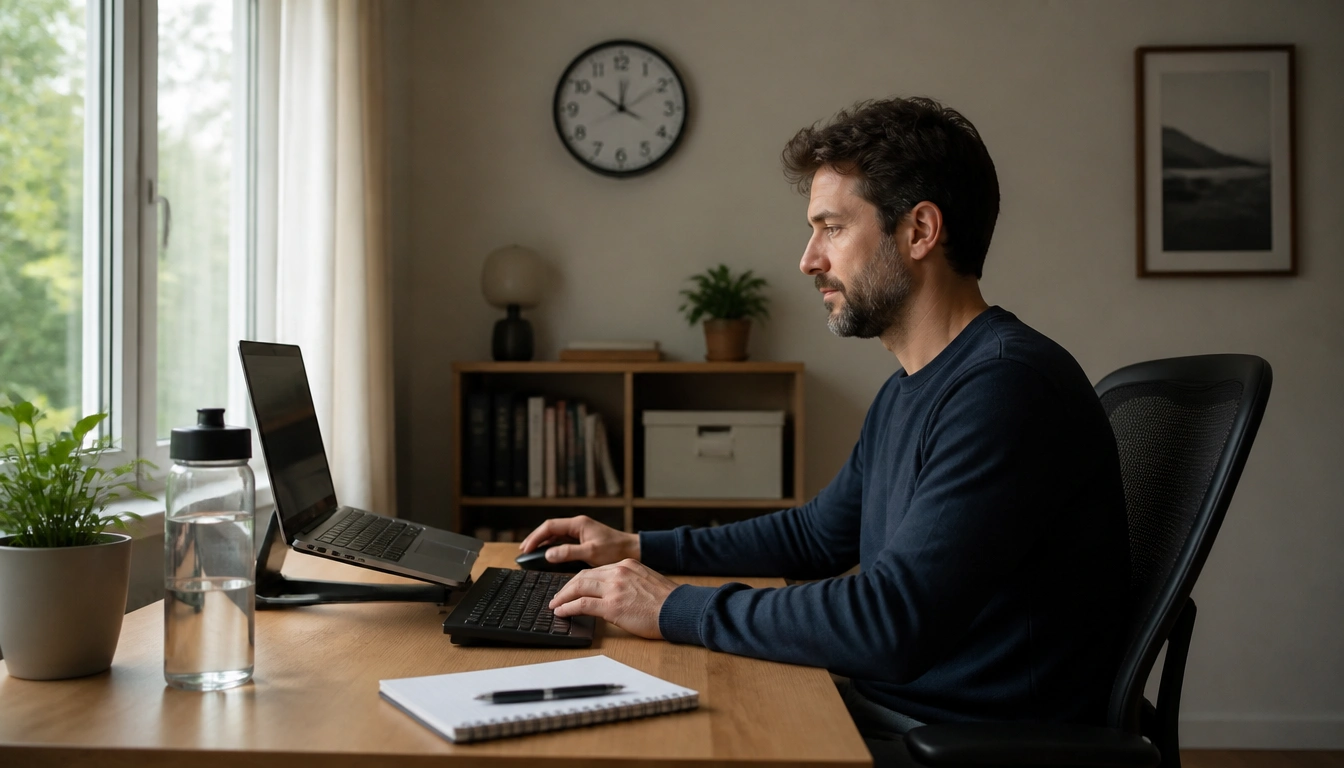
The most effective way to stay healthy while working from home is not a flawless posture or an elaborate routine. It is building a few repeatable habits that break up sitting, reduce eye and muscle strain, and create clear transitions between work and personal time. Small environmental changes and short movement breaks usually work better than strict rules you will not keep.
Key Takeaways
- Frequent posture changes and light movement matter more than holding one “perfect” position all day.
- A home workstation should fit your body; if you have pain, injuries, or limb differences, generic ergonomic advice may not be enough.
- Short breaks, eye breaks, and better lighting help reduce screen fatigue and mental strain.
- A simple commute ritual can replace the missing office transition and help stop work from bleeding into the rest of your day.
- Food, water, and snacks are easier to manage when they are placed on purpose, not left to willpower at the keyboard.
Why working from home changes the health equation
Working from home can remove a lot of everyday movement without you noticing it. In a traditional office, the day usually includes walking to meetings, standing up for conversations, getting coffee, or commuting. At home, many of those natural transitions disappear, which can leave you sitting longer, staring at screens more, and carrying work into the rest of the day.
The biggest habit shift is to stop thinking that health depends on one ideal sitting posture. Public health guidance emphasizes reducing sedentary time and replacing it with movement wherever possible. For desk work, that usually means frequent posture changes, light activity, and small breaks that interrupt long stretches of stillness. A few minutes of movement spread through the day can be more realistic and more useful than trying to sit “perfectly” for hours.
That same habit-first approach helps with burnout too. Remote work often blurs the line between productive time and personal time, so a healthy plan has to support both the body and the brain. The goal is a routine you can repeat on ordinary days, not a wellness project that falls apart the moment your schedule gets busy.
Build a home workstation that fits your body
Ergonomics is not about buying the most expensive chair or desk. It is about making your setup match your body and your tasks as closely as possible. The basics are straightforward: keep your feet supported, your back comfortably supported, your screen near eye level, and your keyboard and mouse close enough that your shoulders do not creep upward.
If you use a laptop most of the day, the screen is often too low, which can encourage neck flexion. A separate keyboard and mouse, plus a stable way to raise the screen, often helps more than any single “correct” chair. If you work at a dining table, a shared desk, or a temporary corner of the home, aim for comfort and consistency rather than perfection.
Do not ignore warning signs that the setup is wrong for you. Ongoing neck, shoulder, wrist, or low-back discomfort can be a sign that the furniture or device placement needs adjustment. The safest test is simple: if a change makes pain worse, back off and rework the setup instead of forcing your body to adapt.
People with back injuries, joint conditions, nerve symptoms, or limb differences may need individualized input from a physical therapist or occupational health professional. Generic ergonomic advice can be a starting point, but it is not always the right answer for every body.
Use micro-breaks to interrupt sitting and mental fatigue
Long, uninterrupted sitting is one of the most modifiable risks of desk work. The best response is not a long workout hidden inside your workday; it is frequent movement transitions. Stand up, walk a few steps, reset your posture, stretch lightly, or switch tasks often enough that your body is not locked in one position for hours.
A practical approach is to pair breaks with existing triggers: after a meeting, after finishing a document, after sending a batch of emails, or when your attention starts fading. If your work allows it, alternate between seated and standing tasks in short blocks rather than standing for long stretches. The point is variety, not endurance.
Micro-breaks also help with thinking. Fatigue from deep-focus work is not the same as fatigue from back-to-back video calls. After dense data entry or long writing sessions, your body may need a posture reset and eye relief. After frequent meetings, your brain may need quiet and fewer social demands. Matching the break to the strain makes the break more effective.
If reminders help, use them. A phone timer, calendar nudge, or sticky note can be enough to keep movement from disappearing on busy days. The habit should be easy to resume after interruptions, not something you have to “start over” every time.
Protect your eyes and reduce screen fatigue
Screen strain is one of the most common remote-work complaints, and it usually gets worse when the lighting is poor or the workday never pauses. A useful baseline is the 20-20-20 rule: every 20 minutes, look at something at least 20 feet away for at least 20 seconds. That small visual shift helps relax the eye muscles and can reduce the dry, tired feeling that builds during prolonged screen use.
Lighting matters too. Place your workstation so glare is less likely to hit the screen directly. If possible, position the desk perpendicular to a window rather than facing it squarely or having bright light behind you. Natural daylight can support alertness, but harsh contrast and reflections can make reading and concentrating harder.
Noise control is part of eye and brain care as well, because visual fatigue often shows up alongside general mental fatigue. In a shared home, use practical tools such as headphones, a door sign, a white-noise source, or a quieter corner when possible. The goal is not a perfectly silent room; it is a space that reduces constant sensory friction.
If your eyes burn, blur, or feel tired despite these changes, it may be worth reviewing your screen distance, font size, room lighting, and blink habits. For many people, small environmental changes are enough to make screen work feel less draining.
Create a real start and stop to the workday
One of the hardest parts of remote work is that the office does not physically close. Without a commute or a change of setting, work can spill into meals, evenings, and weekends. A healthy routine gives the day an opening and a closing, even if they are brief.
A practical “commute ritual” can help. In the morning, take a 10- to 15-minute walk, step outside for fresh air, or do any short movement that marks the start of work. At the end of the day, repeat a similar transition before you answer personal messages, start chores, or switch into family time. The ritual does not have to be dramatic; it just has to signal a change in role.
You can reinforce that boundary with small environmental cues. Close the laptop, move the work device out of sight if you can, change rooms, or switch from work clothes to something more relaxed. These cues matter because remote work is not only a scheduling challenge; it is also a psychological one.
If your schedule is irregular, build the boundary around a consistent action rather than a fixed time. The action could be a walk, a stretch, a shutdown note, or a final check of tomorrow’s priorities. Consistency helps your brain recognize when work is finished.
Use food, hydration, and lunch breaks as recovery tools
Food and hydration are easier to manage when the workspace is designed to support them. Keep water within reach, but place snacks slightly away from the keyboard so getting them is a deliberate choice rather than an automatic habit. That small distance can reduce mindless grazing and also create a natural reason to stand up.
Pre-portioned snacks are often more practical than trying to rely on self-control in the middle of a deadline. Fruit, nuts, cut vegetables, yogurt, or other simple options can work well if they are ready before the workday starts. The goal is not a perfect diet plan; it is a setup that makes a reasonable choice the easiest one.
Lunch should ideally be a real break, not an extension of the screen. Even a short pause away from the desk can help your body recover from prolonged sitting and give your eyes a rest. If your household makes that difficult, try to make lunch a location change, even if it is only moving to another room or sitting by a window.
If you tend to forget to drink water, do not rely on memory alone. Put a bottle where you will see it when you begin work, then refill it as part of a routine. Small friction-reducing changes are usually more sustainable than trying to “be better” all day.
Adapt the plan for different bodies, homes, and tasks
There is no single remote-work setup that suits everyone. A parent sharing a kitchen table, a freelancer working in a studio apartment, and a hybrid employee at a spare desk all face different constraints. The best habits are the ones that still work when the environment is noisy, cramped, or interrupted.
Task type matters too. A day filled with video calls can create a different kind of fatigue than a day of data entry or creative work. Meeting-heavy days often call for quieter recovery blocks, reduced screen time where possible, and more movement between calls. Deep-focus days may need more eye breaks, posture changes, and brief resets to prevent mental tunnel vision.
If you live alone, loneliness can become part of the health picture. In that case, it may help to schedule intentional social contact, such as a walk with a friend, a check-in call, or coworking time, rather than waiting for interaction to happen naturally. If you live with others, you may need noise management, shared expectations, or a sign that you are unavailable for short periods.
Some people also feel worse when they try a standing desk or ergonomic chair too quickly. If pain increases, scale back and reassess. Comfort should improve, not deteriorate, as you make changes. If it does not, the solution may be more individualized than an online setup guide can provide.
When discomfort or burnout needs professional attention
Self-management is useful, but it has limits. If you have persistent pain, numbness, tingling, or symptoms that travel into the arms or legs, it is worth speaking with a healthcare professional. Those symptoms can suggest nerve involvement or another issue that should not be handled by trial and error alone.
Also seek care if musculoskeletal pain becomes sharp, recurrent, or worsening despite breaks and ergonomic changes. A workstation problem can irritate tissues, but ongoing pain can also reveal a condition that needs assessment. Similarly, if remote work is linked to chronic sleep problems, significant anxiety, depressive symptoms, or a growing inability to disconnect, that deserves attention.
Professional support may come from a primary care clinician, physical therapist, occupational therapist, or another qualified specialist depending on the problem. The aim is not to label every ache as serious; it is to recognize when the usual adjustments are no longer enough.
If you are unsure, a good rule is to ask whether the problem is brief and clearly tied to a recent habit change, or whether it is lingering, worsening, or affecting daily function. The second pattern is the one that should prompt evaluation.
Frequently Asked Questions
How often should I take breaks from sitting when working at home?
Breaks are most useful when they happen regularly enough to interrupt long stretches of sitting. Many people do well with a brief movement or posture change every 30 to 60 minutes, plus extra pauses after long meetings or focused work blocks. The exact timing can vary, but the goal is to avoid staying still for hours.
What is the best basic ergonomic setup for a home workstation?
Start with the essentials: feet supported, hips and knees comfortable, screen near eye level, and keyboard and mouse close enough that your shoulders stay relaxed. If you use a laptop all day, separate the screen from the keyboard when possible. The best setup is the one that reduces strain for your body, not the most expensive one.
How can I reduce eye strain and screen fatigue during remote work?
Use the 20-20-20 rule, reduce screen glare, and make sure your workspace has balanced lighting. A desk placed perpendicular to a window often helps. It also helps to use larger text, keep the screen at a comfortable distance, and take real pauses away from the monitor during the day.
How do I stop work from bleeding into the rest of my day when I work from home?
Create a repeatable start and stop ritual. A short walk before work can replace the lost commute, and a similar walk or shutdown routine at the end of the day can signal that work is finished. Closing the laptop, moving rooms, or changing clothes can reinforce that boundary.
When should remote-work discomfort or burnout symptoms be evaluated by a professional?
Get checked if pain is persistent, worsening, sharp, or accompanied by numbness, tingling, or symptoms that radiate into the arms or legs. Also seek help if poor sleep, anxiety, depression, or burnout is making it hard to function or disconnect from work. Those patterns deserve more than home adjustments alone.
The Bottom Line
The most sustainable remote-work habits are usually the simplest ones: move often, change posture, protect your eyes, and build clear bookends around the workday. You do not need a rigid wellness system to get real benefits.
Treat your home setup as something to adjust over time. If a chair, desk, or routine increases pain or stress, change the environment before you push harder. And if symptoms persist or worsen, bring in professional help rather than trying to manage everything yourself.
Medical disclaimer
Medical disclaimer: This content is for educational and informational purposes only and is not a substitute for professional medical advice, diagnosis, or treatment. Dietary needs and supplement suitability vary by individual.
Sources
- Centers for Disease Control and Prevention (CDC) — cdc.gov. Accessed November 2026.
- Centers for Disease Control and Prevention (CDC) — cdc.gov. Accessed November 2026.
- World Health Organization (WHO) — who.int. Accessed November 2026.
- safeworkaustralia.gov.au — safeworkaustralia.gov.au. Accessed November 2026.
