
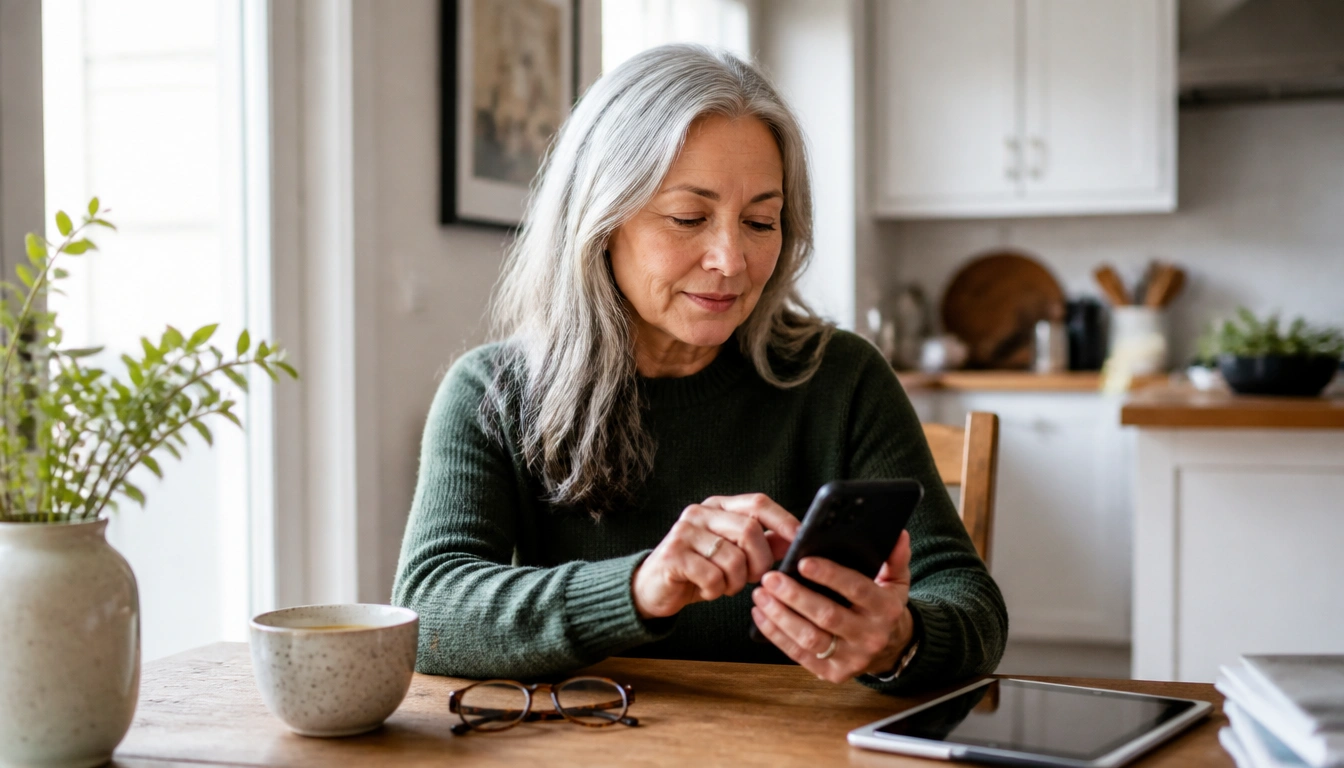
You can reduce stress from constant notifications by keeping only truly important alerts on, silencing the rest, and creating a few planned times to check messages instead of reacting to every buzz. For adults over 50, the best setup usually keeps family calls, urgent medical messages, and essential reminders open while muting news, shopping, and social app alerts. That protects attention, sleep, and calm without cutting you off from people who matter.
Key Takeaways
- Sort notifications into essential, useful, and non-essential groups so you can keep contact open without staying available all day.
- Adults over 50 often feel notification overload more strongly because of heavier cognitive load, more care responsibilities, and more apps to manage.
- A digital sunset, with devices charging outside the bedroom, can reduce late-night checking and support better sleep.
- Batching messages at set times each day lowers reactivity and helps you respond more deliberately.
- If notification fatigue is paired with ongoing insomnia, anxiety, low mood, or memory changes, it may need medical or mental health attention.
Why notifications feel more stressful in later adulthood
For many adults over 50, notifications do not feel like small interruptions. They can feel like one more task competing for attention. Harvard Medical School and other geriatric experts note that digital load can feel heavier as the brain has to track more passwords, more apps, more family threads, and more health information than in earlier life stages. That extra mental bookkeeping can make even ordinary alerts feel tiring.
Life stage matters too. Many older adults are juggling retirement transitions, part-time work, volunteering, caregiving for aging parents, grandparent duties, or managing their own health appointments. A phone that constantly pings can turn into a reminder of obligations rather than a tool for connection. The result is often not just annoyance, but a sense of being pulled in too many directions at once.
Notifications can also train the brain to expect interruption. Over time, the pattern of alert, check, and respond can make quiet feel uncomfortable. That does not mean there is anything wrong with wanting to stay connected. It means the device may need clearer rules so connection does not become constant pressure.
How notification overload affects attention, mood, and sleep
Each alert asks your brain to switch tasks. That switching has a cost: focus breaks, and it takes effort to get back on track. When this happens repeatedly, people often feel mentally foggy or unusually tired even if they have not been physically active. This is one reason notification overload can make a calm day feel strangely exhausting.
Stress reactions can also build in small ways. A chime, buzz, or flashing banner can trigger a brief sense of urgency before you even know what the message is. That repeated “something needs me now” feeling can leave people more irritable, anxious, or distracted. Research on digital well-being consistently points to lower emotional strain when interruptions are reduced.
Sleep is especially vulnerable. Late alerts can keep you mentally engaged long after you intended to rest, and checking a phone in bed can make it harder to settle. Public health guidance consistently emphasizes protecting sleep, and many people sleep better when the bedroom is not a place for constant digital scanning. If your device is waking you up or tempting you to keep checking, that is a sign the settings need attention.
The essential, useful, and non-essential audit
A practical notification audit is the fastest way to regain control. Instead of asking, “Should I turn everything off?” ask, “Which alerts truly need my immediate attention?” Then divide them into three groups.
- Essential: direct calls from family, urgent messages from a clinician or caregiver, emergency alerts, and time-sensitive health reminders that matter today.
- Useful: calendar reminders, pharmacy updates, navigation alerts, and non-urgent messages that help you stay organized.
- Non-essential: shopping promotions, game prompts, social media pings, news flashes, app suggestions, and most marketing alerts.
Keep the essential group visible and reliable. Let useful alerts support your day without taking over. Silence or disable the non-essential group as much as possible. This is not about being less social or less informed. It is about keeping your attention available for what matters most.
If you are unsure about a category, use a short test: “Would I need to respond right away, today, or at all?” If the answer is no, it usually does not belong in an always-on alert stream.
How to keep truly important communication open without staying always on
The goal is not total silence. It is selective access. For many adults, that means keeping the phone available for calls and a small number of trusted contacts while muting the rest. If family members worry about reaching you, a good first step is to agree on what counts as urgent and which channel to use for it.
For example, you might allow calls from saved contacts to ring through, while turning off message banners from group chats or social apps. If you rely on medical portals, ask which alerts are actually time-sensitive and which are routine. Some health systems send many reminders, but not all need instant action. When possible, make sure the most important contacts know your preferred method and response window.
Many people feel guilty about not answering quickly. But instant response is a habit, not a duty. A short delay does not mean you are unavailable or uncaring. It often means you are choosing to answer when you can be thoughtful instead of reactive.
Notification boundaries for caregivers and people managing health apps
Caregivers and people with chronic conditions need a different setup than someone who can safely ignore most alerts. If you are supporting an aging parent, a spouse, or a family member with health needs, some notifications truly deserve priority. The challenge is to protect those essential channels without letting every app and device become urgent.
Start by separating caregiving alerts from everything else. If one app is used for appointments, medication reminders, or family updates, keep that app prominent. But do not assume every message within it requires immediate response. Some apps are better used as tools you check on purpose rather than as sources of constant interruption.
Health-related notifications can also create anxiety when they arrive in clusters. If that happens, it may help to assign a specific time each day to review health updates, refill notices, or portal messages. That keeps the information accessible while reducing the sense that your health is being “announced” all day long. If a clinician expects urgent communication, ask whether there is a separate line or method for true emergencies.
Building a daily rhythm with batch-checking, focus modes, and a digital sunset
Instead of responding to every alert as it appears, pick a few check-in times each day. For many people, morning, midafternoon, and early evening work well, but the exact schedule should fit your routine. This batching strategy lowers constant task-switching and helps you decide messages with a calmer mind.
Focus modes or Do Not Disturb settings can support that rhythm. Use them during meals, reading, hobbies, social visits, exercise, or any other time when your attention deserves to stay in one place. You can still allow specific calls to come through, which gives you flexibility without opening the floodgates.
A digital sunset can help protect sleep. Choose a time in the evening when notifications are muted, the phone is plugged in outside the bedroom, and late-night news or social alerts are turned off. The replacement does not need to be elaborate. A book, a quiet stretch, music, or a short journal entry is often enough to shift the evening away from reactive scrolling.
Research and public health guidance both support the idea that fewer interruptions make rest easier. If you check your phone in bed because it feels like the only way to stay informed, move the phone farther away and give yourself a consistent cutoff time. The point is not perfect discipline; it is creating fewer chances for a harmless alert to turn into an hour of lost sleep.
How to make the plan stick without friction or guilt
Simple changes are easier to keep than dramatic ones. Start with one device or one app instead of all of them at once. If you use a phone and smartwatch, decide which device should carry which type of alert so you are not getting duplicate buzzes from both.
It also helps to reduce guilt. If family members are used to immediate replies, let them know you are changing your notification habits so you can be more present, not less caring. A short explanation often prevents misunderstandings. You can say that urgent calls will still get through, but non-urgent messages may be answered during your check-in times.
Make the environment do some of the work. Keep chargers in another room if bedtime scrolling is your weak point. Turn off badges and banners for low-value apps so there is less visual temptation. If a setting keeps pulling you back into old habits, remove it rather than relying on willpower. The best system is the one that is easy to follow on a tired day.
When notification fatigue is more than a tech problem
Sometimes notification overload is only part of the issue. If you are still feeling persistently anxious, irritable, down, or mentally foggy after changing your settings, the problem may be broader than device habits. Ongoing insomnia, trouble concentrating, increased forgetfulness, or social withdrawal deserve attention from a healthcare professional.
It is especially important to seek help if sleep problems are getting worse, if you feel panicky when your phone is out of reach, or if you are missing important responsibilities because of distraction or overwhelm. These symptoms can overlap with stress, depression, anxiety, medication effects, sleep disorders, or other medical concerns. A clinician can help sort that out rather than assuming the phone is the whole story.
For many adults over 50, a healthier notification plan brings noticeable relief. But if the stress feels persistent or severe, do not treat it as a personal failure to “manage technology better.” It may be a sign that you need support for sleep, mood, or overall health as well.
Frequently Asked Questions
Which notifications should adults over 50 never silence?
Keep direct calls and clearly urgent messages from family, caregivers, or clinicians open, along with emergency alerts and any health reminders that truly must be acted on right away. Everything else should be reviewed based on how time-sensitive it really is.
How do I set notification boundaries without feeling cut off from family or medical updates?
Explain your new plan in advance and define what counts as urgent. You can keep calls from key people enabled while checking non-urgent messages at set times. That keeps you reachable without making every alert feel like an emergency.
What is the best time of day to check messages instead of responding instantly?
There is no single best time for everyone, but many people do well with a few planned check-ins in the morning, midday, and early evening. The goal is consistency, so you are not pulled back into constant checking all day.
Can turning off notifications help with sleep and anxiety?
Yes, for many people it can help. Fewer late-night alerts reduce the chance of mental arousal before bed, and fewer daytime interruptions can lower stress. If sleep or anxiety does not improve after adjusting settings, talk with a clinician.
How do I use Do Not Disturb or Focus mode for meals, hobbies, and bedtime?
Set those modes to silence non-essential alerts during protected times, while allowing only the contacts or apps that truly matter. Use them automatically for meals, reading, errands, bedtime, and other times when you want your attention to stay with one task.
The Bottom Line
Adults over 50 usually do best with a notification plan that protects attention without blocking important family or health contact. The most useful first step is to sort alerts into essential, useful, and non-essential categories, then silence the last group.
Batching messages, using Focus mode, and creating a digital sunset can reduce stress and support better sleep. If notification fatigue is still causing persistent insomnia, anxiety, or brain fog after you make those changes, it is worth discussing with a healthcare professional.
Medical disclaimer
Medical disclaimer: This content is for educational and informational purposes only and is not a substitute for professional medical advice, diagnosis, or treatment. Dietary needs and supplement suitability vary by individual.
Sources
- Academic Research Institution — harvard.edu. Accessed October 2026.
- aarp.org — aarp.org. Accessed October 2026.
- jacksonhealth.org — jacksonhealth.org. Accessed October 2026.
