
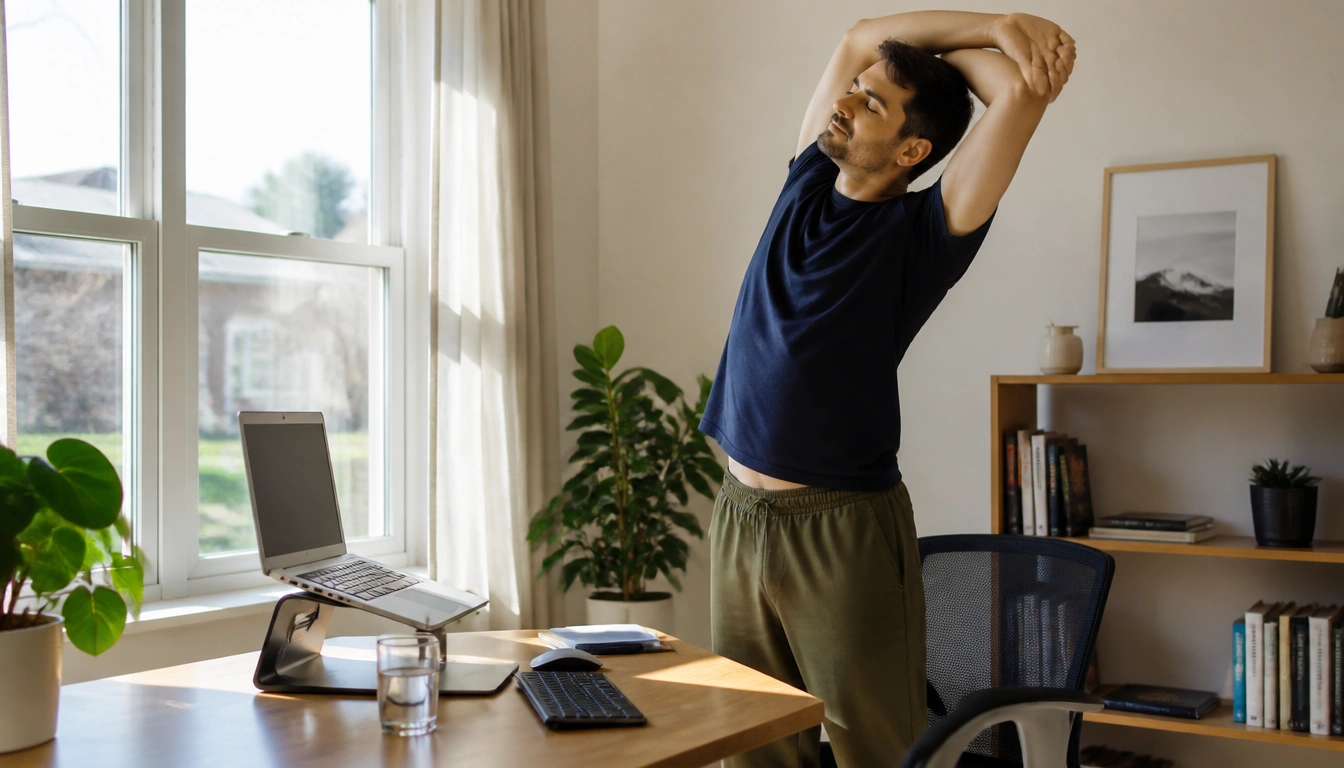
A healthy workday reset for people working from home is less about one perfect exercise session and more about changing positions often, using a better laptop setup, and building short movement breaks into normal tasks. Sitting less, alternating between sitting and standing, and creating clear start- and end-of-day routines can reduce stiffness and fatigue without requiring constant interruptions.
Key Takeaways
- Brief posture changes during the day matter even if you also exercise after work; one workout does not fully replace regular movement breaks.
- If you work on a laptop, raising the screen and using an external keyboard and mouse when possible can reduce neck, shoulder, and wrist strain.
- Standing can help, but standing all day is not the goal; alternating between sitting, standing, and walking is usually the better approach.
- The easiest movement prompts are often built into real tasks such as finishing a call, refilling water, or switching between projects.
- Most mild stiffness is a signal to adjust your setup or move more, but numbness, radiating pain, swelling, or persistent joint problems need professional evaluation.
Why work-from-home days need a reset
Working from home often removes the natural movement that used to happen between tasks: walking to a meeting room, commuting, getting coffee, or simply standing up to talk to someone. That can turn a day into long stretches of sitting with very few built-in breaks. According to the CDC and NIH, prolonged sedentary time is not just a comfort issue; it is associated with musculoskeletal strain and broader health risks when it becomes the norm.
The goal of a healthy workday reset is not to force constant motion. It is to interrupt long static periods often enough that your body does not stay in one position for too long. A single evening workout is valuable, but it does not fully replace the benefits of changing posture throughout the workday. Regular micro-movement breaks and normal exercise serve different roles, and both matter.
A practical rhythm for many remote workers is to avoid uninterrupted sitting blocks longer than about 30 to 60 minutes when possible. That does not mean you must stare at a timer all day. It means using natural workflow cues: after a call, after sending a draft, after finishing a meeting, or when you switch tasks, stand up, stretch, or walk briefly before sitting again.
That reset loop can be as simple as sit, stand, move, then return. The point is not to avoid sitting entirely. The point is to avoid staying in the same position for hours.
Laptop-only home office fixes that reduce strain
A laptop is convenient, but it often creates a forward-head, rounded-shoulder posture if the screen is too low. CDC and NIOSH ergonomic guidance supports a simple idea: raise the screen so the top of it is at or slightly below eye level, and keep it roughly an arm’s length away. If the keyboard is lifted with the screen, your wrists and shoulders may become awkward, which is why an external keyboard and mouse are such useful upgrades.
If you do not have a separate monitor, you can still improve the setup. Place the laptop on a stand, shelf, stack of books, or stable box so the screen rises closer to eye height. Then use a separate keyboard and mouse if possible. This decouples screen height from hand position and often reduces the urge to hunch forward.
For the lower body, aim for feet to rest flat on the floor or on a stable footrest. Knees should be about level with, or slightly lower than, the hips. If your chair is too high and your feet dangle, a footrest or a sturdy box can help. If the chair is too low, the hips may sit below the knees and increase pressure in the front of the chair. Small changes here can make long work sessions noticeably easier.
A simple ergonomic checklist for laptop work:
- Screen higher, not lower.
- Elbows relaxed and close to the body.
- Wrists straight rather than bent upward.
- Feet supported.
- Chair and desk used to support the task, not fight it.
Standing desk reality check
Standing desks can be useful, especially if sitting leaves you stiff or sleepy. But standing all day is not the goal, and it is not automatically better. Long standing can bring its own problems, including foot fatigue, lower-back discomfort, and leg heaviness. Public health and occupational guidance generally supports alternating rather than locking into one posture for hours.
This is especially important if you have low-back pain, knee osteoarthritis, varicose veins, circulation concerns, or a job day that already involves a lot of stillness. In those cases, prolonged standing may aggravate symptoms just as prolonged sitting does. A standing desk can still help, but it should be one position in a rotation, not your only position.
A good rule is to treat standing as an active option, not a permanent one. Stand for part of a call, sit for focused writing, and take short walks between tasks. If standing makes you feel better, use it more often. If it worsens discomfort, shorten the standing block and return to sitting or walking sooner.
In other words, the most useful desk is the one that helps you switch positions easily.
Micro-breaks that do not derail focus
Many people avoid breaks because they think a break must be long, formal, or disruptive. It does not. A micro-break can be one to two minutes of standing, walking, shoulder rolls, or a brief stretch. Those tiny resets are often easier to sustain on busy days than a large planned workout during work hours.
Useful micro-breaks are the ones that fit into the flow of the day. Try standing up when a meeting ends, walking to another room after you submit a file, or pacing during a phone call if the call does not require screen sharing. Even a short loop around the room can change how your back, hips, and neck feel.
Movement does not need to be dramatic to count. A few examples that work well during remote work:
- Stand and reach overhead for a few breaths.
- Walk to the kitchen and back.
- Roll the shoulders and reset the neck position.
- Do a short corridor or room loop.
- Switch from seated work to a brief standing task, then sit again.
If you have hyperfocus or a highly structured day, you may do better with a cue tied to your workflow instead of a repeating alarm. For example, take a movement break every time you finish a meeting, finish a paragraph, or send a batch of emails. That approach can feel less intrusive than a timer that interrupts you mid-thought.
Hydration, bathroom trips, and other built-in prompts
You do not need a separate habit system if you already have recurring events in your day. Hydration, refilling a cup, bathroom trips, and meal prep can all become movement prompts. This works well for people who dislike timers because the cue is already part of the day.
One practical trick is to keep a smaller water bottle or glass at your desk. Refilling it forces a short walk, a posture change, and a pause from typing. Another option is to place water farther from your desk so you have to stand to get it. The idea is not to make hydration difficult; it is to use normal life as a prompt to move.
Other natural triggers include:
- Getting up when you switch between projects.
- Walking after a meal or snack.
- Standing during phone calls that do not require a screen.
- Taking a short stretch break after returning from the bathroom.
These prompts are especially useful on meeting-heavy days, when your schedule is broken into small fragments. Instead of trying to carve out a separate workout, use the edges of your workday to create movement. That makes the routine easier to repeat consistently.
Creating a real boundary between work and home
One challenge of remote work is that the office may also be the kitchen, bedroom, or living room. Without a commute, the day can feel like it starts abruptly and ends messily. That blurred boundary can increase mental fatigue even when your body has had enough sitting and typing.
A short pre-work walk can help signal the start of the day. A short post-work walk can help signal the end. These do not need to be long or athletic. Even a neighborhood loop, a walk around the block, or a few minutes outside can create the feeling of a commute without the lost time.
Shutdown rituals can also help. Close the laptop, clear the desk, refill your water for the next morning, or change rooms after work. The point is to create a repeatable transition that tells your brain the workday is over. That can matter just as much as posture changes, because mental fatigue often makes the body feel tighter and more sluggish.
If you live in a small space, the ritual can be simple: one final walk to the door, one deep breath, then a clear change of activity. The details matter less than the consistency.
Special considerations for pain, metabolic health, and focus style
People with chronic pain often need a more flexible plan. If your back, knees, hips, or shoulders already hurt, the answer is usually not more forceful stretching or more standing. It is careful experimentation with shorter sitting blocks, better support, and movement that does not spike symptoms. For some people, frequent position changes reduce pain; for others, certain postures must be limited or avoided.
If you have diabetes or metabolic risk, movement breaks may be especially useful because muscle activity helps support glucose regulation. That does not replace medical care or a nutrition plan, but it does make frequent movement a practical part of self-management. A short walk after meals or between tasks may be more useful than waiting for one large workout later.
Neurodivergent adults, including people with hyperfocus tendencies, often do better when the break system fits their attention style. Repeating alarms can feel jarring or easy to ignore. Instead, anchor movement to natural breaks in attention: after a meeting, after a chunk of writing, after sending a message thread, or when you switch tasks. You may also prefer a standing task, fidget-friendly movement, or a visual cue rather than a sound.
The best plan is the one you can actually repeat without fighting your own work style.
When home strategies are not enough
Some discomfort is a normal signal that your posture, chair, screen height, or movement pattern needs adjusting. Mild stiffness, a tight neck after a long call, or a sore lower back after too much sitting usually means it is time to change position, walk, or improve the setup. Those symptoms often improve when the day includes more movement and less static posture.
Other symptoms deserve professional evaluation. According to CDC and NIH-aligned guidance, seek medical care if you have pain that radiates down the arm or leg, numbness, tingling, or a pins-and-needles sensation that does not settle. Also get checked for persistent joint locking, severe swelling, sharp pain that is hard to ignore, or pain that interferes with sleep.
Lower-leg symptoms also matter. New unilateral swelling, throbbing pain, or prominent vascular changes after long sitting should not be brushed off as normal desk strain. If a symptom feels unusual, persistent, or one-sided, it is better to ask a clinician than to assume it is just from working at home.
Home ergonomics and movement habits are useful first steps, but they are not a substitute for individualized medical assessment when symptoms point to a nerve, joint, or vascular problem.
Frequently Asked Questions
How often should I get up from my desk while working from home?
A practical target is to avoid sitting for more than about 30 to 60 minutes at a time when you can. You do not need a strict timer every day. A short stand, stretch, or walk at natural breaks is often enough to reduce stiffness and reset your posture.
What is the simplest ergonomic setup for a home office if I only have a laptop?
Raise the laptop screen so the top is near eye level, then use an external keyboard and mouse if possible. If you cannot do that, at least elevate the screen and keep the laptop close enough that you do not lean forward. Support your feet and keep wrists neutral.
Are standing desks better than sitting all day for remote workers?
They can help, but standing all day is not the goal. Alternating between sitting, standing, and walking is usually better than staying in one posture for hours. People with back, knee, or circulation issues may need shorter standing periods.
What short movement breaks actually help during a busy workday?
The most useful breaks are simple: stand up, walk a short loop, roll your shoulders, stretch gently, or change tasks while standing. Even one to two minutes can help if you repeat it through the day and pair it with real workflow transitions.
How can I separate work time from home time when my office is also my living space?
Use a small ritual at the start and end of the day. A short walk before logging on and after logging off can act like a commute. Closing the laptop, clearing the desk, or changing rooms also helps create a mental boundary.
The Bottom Line
A healthier remote workday usually comes from small, repeatable changes rather than one major overhaul. Move often, change positions through the day, and make your laptop setup easier on your neck, shoulders, wrists, and lower body.
If you can, build movement into things you already do: finishing calls, refilling water, switching tasks, or starting and ending the day. That makes the routine more realistic on busy or meeting-heavy days.
If pain is persistent, one-sided, or accompanied by numbness, swelling, or radiating symptoms, do not keep troubleshooting on your own. Get evaluated so you can rule out a problem that needs targeted care.
Medical disclaimer
Medical disclaimer: This content is for educational and informational purposes only and is not a substitute for professional medical advice, diagnosis, or treatment. Dietary needs and supplement suitability vary by individual.
Sources
- Centers for Disease Control and Prevention (CDC) — cdc.gov. Accessed October 2026.
- National Institutes of Health (NIH) — nih.gov. Accessed October 2026.
- Centers for Disease Control and Prevention (CDC) — cdc.gov. Accessed October 2026.
- Academic Research Institution — pitt.edu. Accessed October 2026.
- Academic Research Institution — bu.edu. Accessed October 2026.
- canada.ca — canada.ca. Accessed October 2026.
